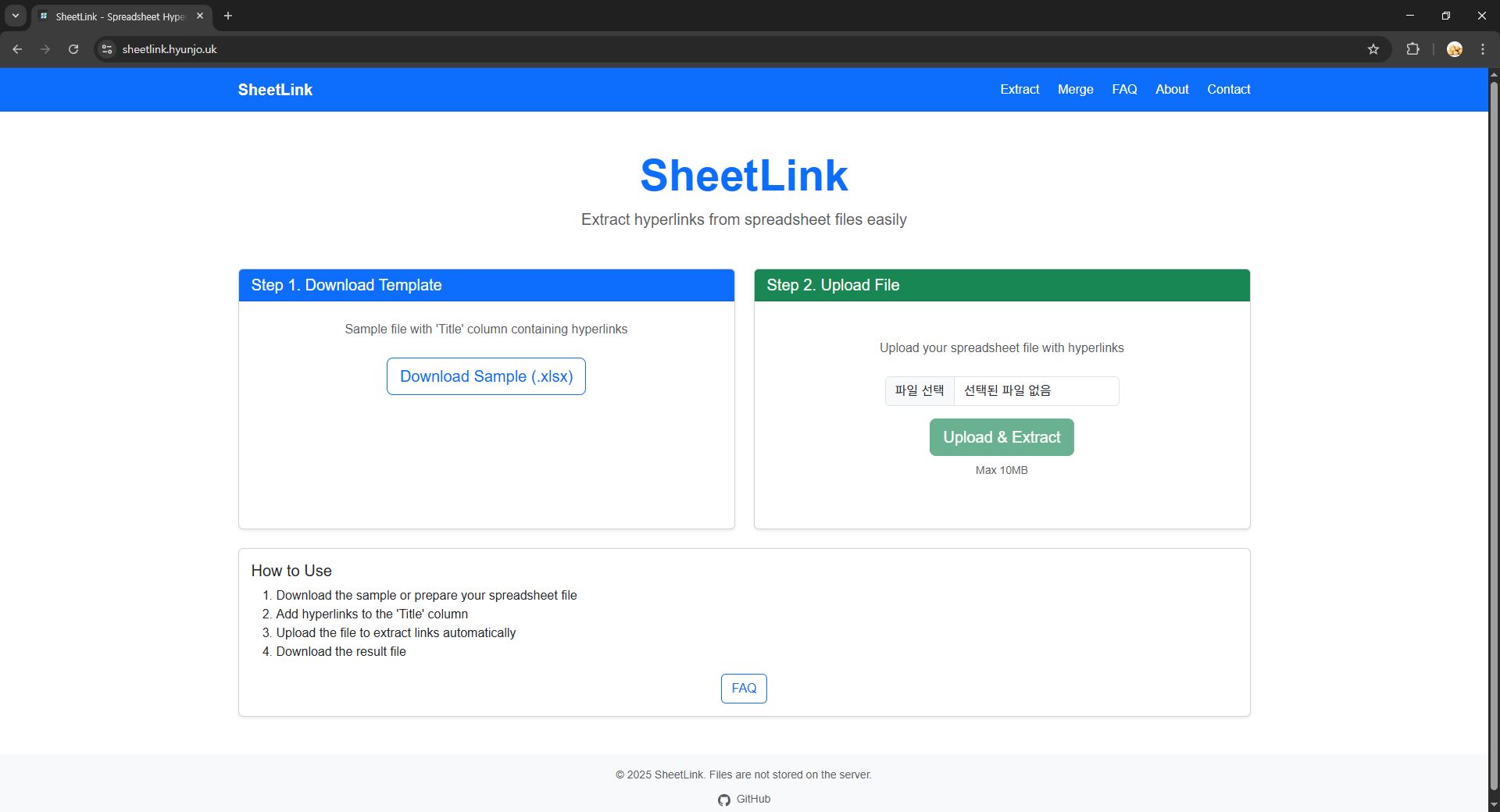
Building SheetLink: A Privacy-First Excel Link Processor
The Problem
Working with Excel files that contain hyperlinks is a common task, but extracting those links or merging title + URL columns into clickable links often requires manual work or desktop software. I wanted to build a web-based solution that was:
- Privacy-focused: No server storage, all processing in-memory
- Fast: Instant results without database overhead
- Free: No registration or payment required
- Self-hosted: Complete control over deployment
Tech Stack
I chose Blazor Server with ASP.NET Core 10 for several reasons:
// Simple, stateless architecture
public class LinkExtractorService
{
    public async Task<List<HyperlinkData>> ExtractLinksAsync(Stream fileStream)
    {
        // All processing happens in-memory
        // No database writes, no file storage
        using var document = SpreadsheetDocument.Open(fileStream, false);
        // ... extraction logic
    }
}
Why Blazor Server?
- Server-side rendering - Better for SEO and initial load
- Real-time updates via SignalR (though not needed for this use case)
- C# everywhere - No context switching between languages
- Stateless by design - Perfect for privacy-focused apps
Architecture Highlights
1. DocumentFormat.OpenXML for Excel Processing
Microsoft's official OpenXML SDK provides low-level access to Excel file internals:
var workbookPart = document.WorkbookPart;
var worksheetPart = workbookPart.WorksheetParts.First();
var sheetData = worksheetPart.Worksheet.Elements<SheetData>().First();

foreach (var row in sheetData.Elements<Row>())
{
    foreach (var cell in row.Elements<Cell>())
    {
        // Extract hyperlink from relationship
        var hyperlinkRelationship = worksheetPart
            .HyperlinkRelationships
            .FirstOrDefault(r => r.Id == cell.InnerText);
    }
}
2. In-Memory Processing
Zero persistence means zero privacy concerns:
- File uploads are streamed directly to memory
- Processing happens synchronously (sub-second for most files)
- Results are returned and immediately discarded
- 10MB file size limit prevents memory issues
3. Docker Deployment
Simple, reproducible deployment with multi-stage builds:
FROM mcr.microsoft.com/dotnet/sdk:10.0 AS build
WORKDIR /src
COPY . .
RUN dotnet publish -c Release -o /app/publish

FROM mcr.microsoft.com/dotnet/aspnet:10.0
WORKDIR /app
COPY --from=build /app/publish .
ENTRYPOINT ["dotnet", "ExcelLinkExtractorWeb.dll"]
CI/CD Pipeline
GitHub Actions → Docker Hub → Self-hosted Ubuntu:
- name: Build and push Docker image
  run: |
    docker build -t hyunjojung/sheetlink:latest .
    docker push hyunjojung/sheetlink:latest
Cloudflare Tunnel provides HTTPS without exposing ports:
cloudflared tunnel create sheetlink
cloudflared tunnel route dns sheetlink sheetlink.hyunjo.uk
Performance Metrics
Lighthouse scores after optimization:
- Performance: 98
- Accessibility: 100
- Best Practices: 100
- SEO: 100
Optimizations Applied
- Static asset caching (7-day cache headers)
- Response caching for GET requests
- Health checks at
/healthfor load balancers - Prometheus metrics at
/metrics
Lessons Learned
1. Stateless is Beautiful
No database means:
- No migrations
- No backup strategy
- No data breach risk
- Infinite horizontal scaling
2. OpenXML is Powerful but Complex
The learning curve is steep, but the payoff is worth it:
- Complete control over Excel file manipulation
- Preserves formatting (critical for merge feature)
- No external dependencies or licenses
3. Blazor Server for Simple Use Cases
For stateless apps without complex interactivity, Blazor Server is perfect:
- Simple deployment model
- Fast initial load (server-rendered)
- C# full-stack development
Try It Out
Live demo: sheetlink.hyunjo.uk
Source code: GitHub
What's Next?
Potential features (if there's demand):
- CSV export option
- Batch processing for multiple files
- API endpoints for programmatic access
Questions or feedback? Find me on GitHub